Most QR codes lead nowhere useful. Someone scans, waits for a page to load, and lands on a homepage that has nothing to do with the flyer, the menu, or the shelf tag they just scanned. That mismatch is not a code problem. It is a landing page problem.
A QR code landing page is the piece of the campaign most teams skip, and it is the piece that decides whether a scan turns into a lead, a sale, or a bounce. This guide breaks down what a QR code landing page actually is, the types worth building, and how to launch one that tracks every scan back to a result.
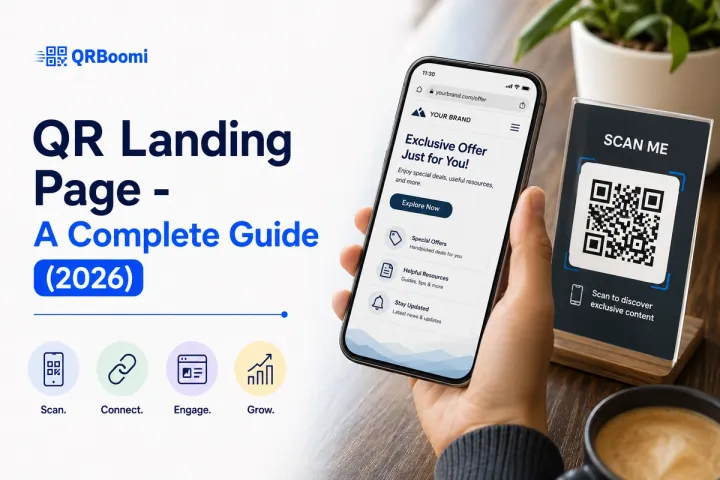
Quick answer: A QR code landing page is a dedicated mobile web page that a QR code opens to after a scan, built to complete one specific action, such as claiming an offer, submitting a lead form, or viewing a menu. Specifically, unlike pointing a QR code straight at your homepage, a purpose-built landing page matches the context of the scan, loads fast on mobile, and can be swapped out anytime when the QR code behind it is dynamic, without reprinting a single code.
The Problem With Most QR Code Campaigns
Print a QR code, point it at the homepage, and call it done. That is how most QR campaigns get built, and it is why most QR campaigns underdeliver.
A homepage is built for browsing. It has a navigation bar, five competing calls to action, and no idea why the visitor just scanned a poster at a bus stop or a table tent at a restaurant. The visitor lands with zero context and has to do the work of finding what the QR code promised.
We have seen this pattern across restaurant, retail, and event campaigns: the QR code gets scanned at a healthy rate, but the conversion numbers look flat. The scan worked. The page did not close the loop. Pair a static code with no analytics behind it, and the team cannot even tell whether the problem is the placement, the offer, or the page itself.
The fix is not a better QR code. It is a landing page built for the exact moment someone scans it, connected to a code that can track and update that experience.
What Is a QR Code Landing Page, Exactly?
A QR code landing page is a standalone web page, separate from your main site, built to answer one question the second someone scans a QR code: why am I here, and what do I do next?
It is not a homepage with a QR code stapled to it. It is not a generic contact page. It is a page purpose-built around the context where the code lives, whether that is a menu, a product box, a conference badge, or a storefront window.
Three things separate a QR landing page from any other web page:
- It is designed mobile-first, since close to all QR scans happen on a phone camera.
- It supports one clear action per page: claim, register, review, download, or contact.
- When paired with a dynamic QR code, the destination and content can change after the code is already printed and out in the world.
That last point is where most static QR tools fall short. A static code locks in a single destination the moment it is generated. A dynamic QR code routes through a redirect URL you control, which means the landing page behind it can be edited, swapped, or A/B tested without touching the printed code at all.
Why a QR Code Needs Its Own Landing Page
Every offline touchpoint, a flyer, a poster, a shelf tag, a table tent, carries a specific promise. The landing page has to deliver on that promise within a few seconds, on a small screen, to someone who is usually mid-task.
Here is what a dedicated QR landing page gives you that a generic web page cannot:
- Context match. The page picks up exactly where the physical touchpoint left off, instead of forcing the visitor to hunt for relevance.
- One action, no distractions. No navigation bar competing for attention, no unrelated links pulling focus from the offer.
- Built-in tracking. Paired with a dynamic QR code, you see scans by device, location, and time, and you can tie that data to actual conversions.
- Editable after launch. Change the offer, fix a typo, or swap the CTA without reprinting anything.
- Faster load on mobile. A page built for one job loads lighter than a homepage carrying a full site's worth of scripts and images.
Across QRBoomi campaigns, the accounts that pair a dynamic QR code with a dedicated landing page consistently report higher scan-to-action rates than the ones linking straight to an existing site page. The gap shows up in the first week of data, not months later.
Types of QR Code Landing Pages
Not every QR landing page serves the same job. The type you build should match the single action you want on the other side of the scan.
| Landing Page Type | Best For | Example Use Case |
|---|---|---|
| Lead capture page | Collecting contact details in exchange for an offer | Event badge scan that captures name, email, and job title |
| Menu / info page | Displaying content without asking for anything | Restaurant table tent linking to a digital menu |
| Review / feedback page | Directing customers to leave a rating | Checkout counter QR sending customers to Google Reviews |
| Link-in-bio / hub page | Housing multiple links behind one code | Business card with links to site, WhatsApp, and booking |
| Product / packaging page | Extending the product experience | Packaging QR linking to usage instructions or warranty registration |
| Event registration page | Managing sign-ups and check-ins | Conference poster QR routing to registration with capacity tracking |
| Promotion / offer page | Driving a single, time-bound action | Retail shelf tag linking to a discount code or limited offer |
Each of these can run as a static page or as a QRBoomi Linked Page connected to a dynamic QR code. The difference shows up the moment you need to change the offer or fix a broken link: a static setup means a full reprint, a dynamic one means a few clicks.
QR Code Landing Page vs. a Regular Web Page
| Dimension | Regular Web Page | QR Code Landing Page |
|---|---|---|
| Visitor context | Arrived through search or a link, often researching | Arrived mid-task from a physical touchpoint, expecting instant relevance |
| Navigation | Full site menu, multiple paths | Single path, one primary action |
| Device | Mixed desktop and mobile | Almost entirely mobile |
| Update path | Edit and redeploy the page | Update via a dynamic QR code, no reprint needed |
| Tracking | Site-wide analytics, rarely tied to a physical asset | Scan-level tracking tied to a specific code, placement, and campaign |
The QRBoomi QR Landing Page Lifecycle
Most guides treat a QR landing page as a one-time build: design it, publish it, done. We think that misses the point. A landing page tied to a QR code is a live campaign asset, not a static file, and it should be managed like one.
We call this the QRBoomi's QR Landing Page Lifecycle. It has four stages, and skipping any one of them is usually why a QR campaign plateaus.
1. Build
Design the page around one action and one audience. Match the page to the exact context where the code will live, whether that is a menu, a badge, or a shelf.
2. Connect
Pair the page with a dynamic QR code instead of a static one. This is what makes every later stage possible, since a static code cannot be redirected once it is printed.
3. Track
Watch scans by device, location, and time from day one. Scan count alone tells you almost nothing. Scan-to-action rate tells you whether the page is working.
4. Optimize
Use what the data shows to update the offer, the layout, or the CTA, all without reprinting the code. Run this stage continuously, not once at launch.
Teams that treat the landing page as a fixed asset stop at stage one. Teams that treat it as a campaign run all four stages on a loop, and that loop is where the compounding gains come from.
How to Create a QR Code Landing Page
You do not need a developer or a design team to build one. With QRBoomi's Linked Pages builder, you can go from a blank page to a published, trackable landing page in a few steps.
- Start a new Linked Page. Sign up at qrboomi.com, open Linked Pages from the sidebar, and pick a template that fits your use case, whether that is a restaurant, an event, or an agency client.
- Set your brand identity. Add your logo, a title, and a short description so visitors know exactly what they landed on.
- Add your key links or offer. Place the one action you want on top, whether that is a menu, a form, or a booking link.
- Add trust details. Business name, contact info, and hours, if the use case calls for it.
- Customize the design. Match your brand colors and fonts, and keep contrast high for outdoor and low-light scans.
- Connect socials if relevant. Only add the profiles you actively maintain.
- Style the QR code itself. Branded colors and shapes still need to scan cleanly.
- Preview on mobile, then publish. Check every link and button before the code goes anywhere near a printer.
How to Design a Mobile-Friendly QR Landing Page
Building the page is step one. Making it work on the phone screen it will actually be viewed on is step two, and it is where most QR campaigns lose conversions.
A few standards matter more than the rest: load time under three seconds, a single-column layout with the offer above the fold, tap targets at least 44 pixels tall, and body text no smaller than 16 pixels so nobody has to zoom.
| Design Element | Standard to Hit |
|---|---|
| Load time | Under 3 seconds on a mobile connection |
| Layout | Single column, value proposition above the fold |
| CTA button | 44-48px minimum height, inside the thumb zone |
| Body text | 16px minimum, high contrast |
| Tracking | Dynamic QR code with scan-level analytics |
We built a full framework around this, the QRBoomi Scan-to-Screen Framework, covering load speed, layout, legibility, and trackable signal in detail, with a design checklist you can run before any QR code goes to print. If mobile design is your next step after this post, our complete guide to designing a mobile-friendly QR landing page walks through all four layers with a full checklist.
Common QR Landing Page Mistakes That Cost You Conversions
Most underperforming QR campaigns are not failing because of the code. They are failing because of what the code points to.
- Linking to the homepage instead of a dedicated page, leaving the visitor to hunt for relevance.
- Asking for too much information before showing any value in return.
- Using a static QR code, so any typo or seasonal change means reprinting every code in the field.
- Skipping analytics entirely, which leaves the team guessing whether the problem is the page, the placement, or the offer.
- Designing for desktop first and mobile as an afterthought, when nearly every scan happens on a phone.
Key Takeaways
- A QR code landing page is a dedicated, mobile-first page built for one action, not a homepage with a QR code attached.
- The type of landing page you build, lead capture, menu, review, event registration, should match the single action you want after the scan.
- A dynamic QR code is what makes a landing page editable after printing; a static code locks the destination permanently.
- The QRBoomi QR Landing Page Lifecycle, build, connect, track, optimize, treats the page as a live campaign asset, not a one-time file.
- Scan-to-action rate, tracked by device and location, tells you whether the page is working. Scan count alone does not.
The QRBoomi POV
A QR code is the entry point. The landing page is where the campaign actually happens. Most QR advice stops at "make a page that loads fast," and that is table stakes, not a strategy. The teams getting real results build the page, connect it to a trackable code, watch what the data shows, and change it, on a loop, for as long as the campaign runs. Every scan is a data point, but only if the page on the other end is built to close the loop and the code behind it lets you act on what you learn.
Frequently Asked Questions
A QR landing page is a dedicated mobile web page that a QR code opens to after a scan. It is built around one specific action, such as claiming an offer or submitting a form, instead of sending visitors to a general website page with no context.
A regular web page is built for browsing, with a full navigation menu and multiple competing paths. A QR landing page supports one action, loads fast on mobile, and matches the exact context of the physical touchpoint where the code was scanned.
Not always, but for anything beyond a simple link, yes. A restaurant table tent, an event badge, and a product package all carry different context, and a single generic page cannot answer "why am I here" for all three at once.
Only if the QR code is dynamic. A dynamic QR code routes through a redirect URL you control, so you can update the destination, offer, or design after printing. A static QR code locks the destination the moment it is generated.
At minimum: a headline matching the context of the scan, one primary call to action above the fold, fast load time, and mobile-first layout. Analytics tracking behind the page is what turns the design into a measurable campaign asset.
Keep load time under three seconds, use a single-column layout with the offer visible without scrolling, size tap targets at least 44 pixels tall, and use body text at 16 pixels minimum. Our guide to designing a mobile-friendly QR landing page covers the full framework.