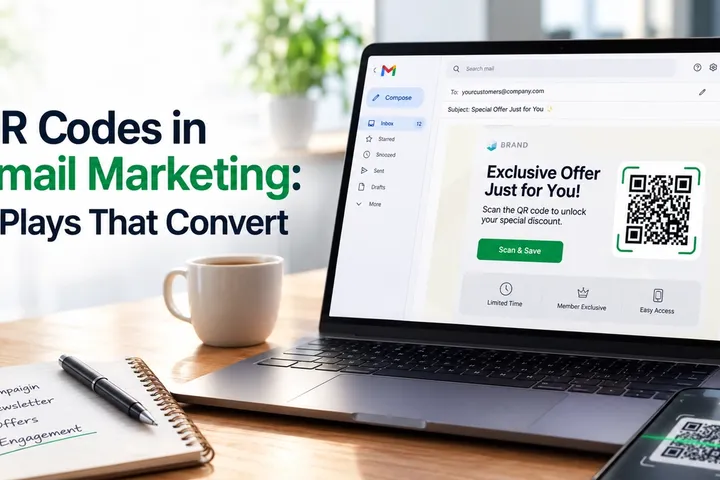
Most QR codes in email marketing never get scanned. Not because QR codes are outdated. Because most of them are used wrong.
A marketer drops a code into a newsletter because it looks modern, links it to the homepage, and never checks it again. The subscriber has no reason to scan. The code has no job to do.
The campaigns that get results from QR codes treat them like any other CTA: one clear purpose, one clear destination, and one clear way to measure what happens after the scan. Here is how to build that kind of campaign.
The real problem with QR codes in email
Here is the pattern across most QR-in-email tests: click-through rates on email buttons dwarf scan rates on email QR codes, and the gap is rarely about design. It is about device mismatch.
Most email opens now happen on mobile. When a subscriber reads an email on their phone and the email asks them to scan a code with, well, their phone, there is no clean way to do that without a second device or a screenshot-and-scan workaround. The QR code becomes friction, not a shortcut.
A real subset of email use cases genuinely need a QR code: moving someone from a desktop inbox to a mobile wallet pass, printing a coupon for in-store redemption, checking a subscriber into an event, or routing an onboarding email to an app download. In each case, a plain link underperforms because the action needs to happen on a different device, or in a different place, than where the email was opened.
The mistake is not using QR codes in email. It is using them without asking whether the action requires a device switch, and without building a way to measure what happens after the scan. A QR code with no dedicated landing page and no analytics behind it is a code, not a campaign.
When a QR code beats a button in an email
Use a QR code when the destination or the device changes. Use a button when it doesn't.
- Desktop-to-mobile handoff: the email is likely opened on desktop (B2B newsletters, receipts, order confirmations), but the next step is a mobile action.
- Physical redemption: the outcome happens in a store, at a counter, or at an event gate, not on a screen.
- Print-adjacent reuse: the same email content will likely be printed, forwarded, or saved for later, and the link needs to survive outside the inbox.
- Wallet or app handoff: the action lives natively on the phone, such as a wallet pass, an app store listing, or a two-factor setup screen.
If none of those apply and the subscriber is reading on the same device where the action happens, a button will almost always outperform a QR code. Run both when unsure, and let the data decide.
The Inbox-to-Action Loop: a framework for email QR campaigns
Most QR-in-email advice stops at design tips. Campaigns that actually convert are built as a loop with four stages, not a one-off graphic.
- Trigger the email context that justifies a QR code (device switch, offline redemption, or wallet handoff), stated in a one-line CTA next to the code.
- Scan a dynamic code that can be corrected or redirected after the email has already been sent, since campaigns change and inboxes don't get resent.
- Landing a mobile-first page that matches the email's promise exactly, with no homepage detours.
- Signal scan data (time, device, location, and repeat scans) that feeds back into segmentation and the next message.
Skip the Signal stage and the QR code is just a shortcut. Build all four stages and it becomes a measurable channel that sits alongside open rate and click-through rate, not underneath them. Across QRBoomi campaigns, the accounts that treat scans as a distinct data point, not a proxy for clicks, are the ones that can actually defend QR codes as a line item in their reporting.
7 QR code use cases that actually work in email
- Desktop-to-mobile continuation: a B2B or SaaS email opened on a work desktop routes the reader to a mobile app, demo booking page, or product tour.
- In-store coupon redemption: a promotional email sends a code that a retail or restaurant subscriber scans at the counter.
- Event check-in and wallet passes: an event confirmation email lets attendees add a ticket to their phone wallet or skip the check-in line.
- App download and onboarding: a welcome or reactivation email routes users straight to the correct app store listing instead of a generic link.
- Loyalty reward redemption: a rewards email lets a customer claim or scan a reward at checkout.
- Post-purchase review and survey capture: an order or service follow-up email routes to a short, mobile-optimized review or survey form.
- Packaging-to-inbox reactivation: a D2C brand pairs an emailed reminder with the same QR code printed on packaging, so both channels point to one trackable redemption journey.
Why static QR codes break long-running email campaigns
A static QR code locks in one destination the moment it's created. That is fine for a code used once and discarded. It is a liability for anything that lives in an inbox for weeks.
Email is not a one-time channel. A subscriber might open a promotional email the day it lands, or three weeks later after digging it out of a folder. If the offer expired, the landing page moved, or the campaign changed, a static code still points to the old destination, and there is no way to fix it without resending the email.
A dynamic QR code separates the printed or embedded image from the destination behind it, so the destination can be corrected, redirected, or A/B tested after the email has already gone out. That is the difference between a code you have to get right once and a code you can manage like any other campaign asset.
This is the core reason QRBoomi treats as dynamic, editable QR campaign assets rather than static images: an email sent today should still be pointing somewhere useful a month from now.
Designing the post-scan landing page
A QR code in an email is only as strong as the page it opens. If the email promises a coupon and the code opens a homepage, the scan was wasted regardless of how well the code itself performed.
- Match the email's exact promise. If the email says "scan to claim your offer," the offer should be the first thing visible.
- Load fast on mobile networks, not just mobile screens.
- Skip long forms. Ask for the minimum needed to complete the action.
- Use the same visual branding as the email so the jump from inbox to landing page feels like one campaign, not two.
- Make the next action (redeem, download, book, check in) visible without scrolling.
Building this page inside the same platform that generates the QR code removes a step most email teams don't realize they're taking twice: a QR landing page builder keeps the code, the destination, and the analytics in one workflow instead of three separate tools.
Turning QR scans into email segmentation data
A scan is not the same signal as a click. A click usually happens on the device where the email was opened. A scan means the subscriber moved from one environment to another, inbox to store, inbox to app, inbox to event, which is a stronger intent signal worth treating differently.
- A subscriber who scans an app download code should get mobile onboarding content next, not another generic newsletter.
- A prospect who scans a pricing or demo QR code has shown stronger buying intent than someone who clicked a blog link, and should route to sales follow-up.
- A customer who scans a loyalty reward code should get reward reminders, not a broad promotional blast.
- An attendee who scans an event check-in code should get event-specific follow-up, not the standard post-send sequence.
The mistake is sending everyone the same follow-up regardless of scan behavior. QR campaign analytics and built-in lead capture exist to make that scan behavior usable, not just visible on a dashboard.
Trust and accessibility: making QR emails safe to scan
Email already carries phishing risk, and a QR code raises the stakes because the destination is hidden until someone scans it. A QR code inside an email asks a subscriber to trust the sender and the destination at the same time.
- Use a branded domain on the landing page instead of an unfamiliar shortener.
- Add a short trust label near the code, such as "Official link: yourbrand.com/rewards."
- Always include a clickable button or plain-text link as a fallback, since some readers will have images blocked, use screen readers, or simply prefer clicking.
- Add descriptive alt text to the QR image itself.
- Avoid QR codes for sensitive actions such as login, payment, or account recovery unless the destination is clearly branded and secure.
A QR code should support the CTA, not replace it. Every email that uses one should still work perfectly for a subscriber who never scans at all.
Key takeaways
- QR codes in email marketing work best when they solve a device-switch or offline-redemption problem, not as decoration.
- A QR code with no dedicated landing page and no scan tracking is a graphic, not a campaign.
- The Inbox-to-Action Loop (trigger, scan, landing, signal) is what separates a QR code that converts from one that gets ignored.
- Static codes fail in email because campaigns and offers change after the email has already been sent; dynamic codes stay correctable.
- Scan data is a stronger intent signal than a click and should drive different, more relevant follow-up messages.
- Every QR-code email needs an accessible fallback: a clickable button, a visible link, and alt text.
The QRBoomi point of view
A QR code is not a marketing channel by itself. It is a bridge, and a bridge only matters if you can see who crossed it, when, and what they did next. Most "QR codes in email marketing" advice stops at the scan. QRBoomi's position is that the scan is the least interesting part of the campaign; what happens on the landing page and in the follow-up sequence afterward is where the actual outcome gets decided.
Frequently Asked Questions
Yes. QR codes work in email marketing when they help a subscriber take an action more easily than a link would, such as saving a coupon, checking in to an event, downloading an app, or continuing a journey from desktop to mobile.
No. A QR code should support the CTA, not replace it. Every email that includes a QR code should also include a clickable button or visible link so subscribers who can't or won't scan still complete the action.
Static codes lock in one destination at creation and can't be corrected after the email is sent. Since emails get opened days or weeks later, a static code pointing to an expired offer or moved page quietly breaks the campaign with no way to fix it.
A click usually happens on the same device the email was opened on. A scan means the subscriber switched environments, inbox to mobile, inbox to store, or inbox to app, which is a distinct and often stronger intent signal worth tracking and segmenting separately.
Campaigns where the action needs to happen on a different device or in a different place than the inbox benefit most: event check-ins, in-store coupon redemptions, app downloads, wallet passes, and desktop-opened B2B emails that need a mobile next step.
They can be, if used carefully. Use branded domains, HTTPS landing pages, a visible trust label near the code, and a plain-text fallback link. Avoid QR codes for sensitive actions like login or payment unless the destination is clearly branded and secure.