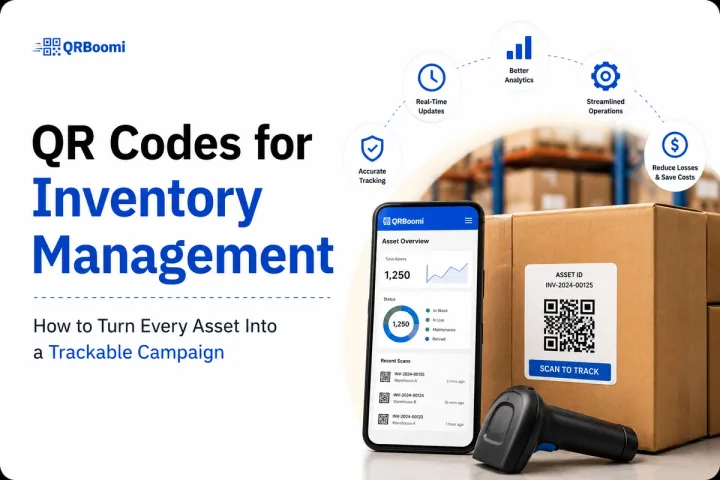
Most businesses using QR codes for inventory management are solving a printing problem, not a campaign problem. They generate a static code, slap it on a shelf, and call it done. The code goes stale. The destination never updates. And when they want to know what actually happened after a scan, they have nothing.
That is not inventory management. That is a label with a barcode nobody trusts.
The brands getting real operational value from QR codes treat every scan as a data point. They build dynamic, trackable QR campaigns that connect physical stock to live digital workflows. They update destinations without reprinting. They measure scan frequency by location, by SKU, by team.
This playbook shows you exactly how to do it.
QR codes for inventory management are dynamic, scannable codes linked to live product records, stock data, or operational workflows. Specifically, unlike barcode systems that require dedicated scanners and static databases, QR inventory campaigns let any smartphone trigger a scan event, update a destination URL, and log real-time data, making them a flexible, low-cost layer for tracking assets, managing stock locations, and connecting physical inventory to digital dashboards without reprinting a single code.
Why Most QR Inventory Systems Fail Before They Start
The failure mode is predictable. A warehouse manager or ops team decides to attach QR codes to shelves, pallets, or equipment. They use a free static code generator. The codes point to a spreadsheet URL, a PDF, or nothing at all. Six months later, the spreadsheet has moved, the PDF is outdated, and nobody can tell you the last time a scan happened.
This is not a QR code problem. It is a campaign design problem.
Three patterns consistently kill QR inventory programs:
- Static codes with no update path. Once printed, a static code is locked. When your destination changes (and it always does), the code is dead. You reprint. The cycle repeats.
- Zero analytics on scan behaviour. Without scan tracking by location, time, and device, you cannot tell which assets are being accessed, which are being ignored, and where your workflow breaks down.
- No connection to live operational data. A QR code that points to a static document is a digital pamphlet. A QR code that triggers a live workflow, updates a record, or surfaces real-time stock data is a campaign asset.
The fix is not a better code generator. It is a campaign-first approach to QR inventory management.

The Five Core Use Cases for QR Codes in Inventory Management
Across QRBoomi campaigns, we have seen QR inventory programs succeed consistently in five operational contexts. Each one works because the QR code is treated as a live campaign asset, not a printed label.
Use Case 1: Asset Tagging and Location Tracking
Attach a dynamic QR code to every physical asset. A scan surfaces the asset record: location, maintenance history, assigned team, and last-checked status.
Because the code is dynamic, the destination record updates in real time. The code never needs to be reprinted when the asset moves to a new location or changes status. Scan volume by asset tells you which equipment is being accessed most, flagging overuse and underuse patterns before they become operational problems.
Use Case 2: Stock Replenishment Triggers
Place dynamic QR codes at bin or shelf locations. When stock runs low, a team member scans the code to trigger a replenishment request directly linked to your procurement workflow.
The destination URL can route to a pre-filled order form, a Slack notification, or a warehouse management system entry. One scan, one action, no manual data entry. Across QRBoomi users running this workflow, scan-to-request completion rates consistently outperform manual reporting by a significant margin, because the friction of initiating a request drops to zero.
Use Case 3: Receiving and Intake Logging
At the intake stage, QR codes on incoming shipments or pallets allow receiving teams to log arrivals instantly. A scan opens a mobile-optimised intake form tied to the shipment record.
This replaces paper intake sheets and manual system entries. Every scan is timestamped, device-tagged, and location-logged. Your receiving data becomes a campaign dataset you can interrogate for bottlenecks, discrepancies, and team performance.
Use Case 4: Product Information and Compliance Sheets
For manufacturers, distributors, and retailers, dynamic QR codes on product packaging or storage containers can surface up-to-date compliance documents, safety data sheets, or handling instructions.
This is where the 'update without reprinting' capability pays for itself immediately. When regulations change or documentation updates, you update the destination once. Every code in the field instantly points to the current version. No recall of printed materials. No version control failures.
Use Case 5: Audit and Inspection Trails
QR codes on equipment, vehicles, or facilities create scannable audit checkpoints. Each scan logs who inspected, when, and what was recorded, creating a timestamped trail that is accessible without manual log books.
Scan analytics tell you inspection frequency per location. Gaps in scan data surface missed checks before they become compliance issues. The QR code becomes an accountability layer, not just a navigation tool.
How to Build a Dynamic QR Inventory Campaign (Step-by-Step)
Building an effective QR inventory campaign takes four decisions made in the right order. Most teams make them in the wrong order, which is why they end up with a pile of static codes and no data.
Step 1: Define the Scan Action Before You Print Anything
Every QR code in your inventory system should have one clear answer to: what happens when someone scans this? Not 'it opens a page.' What does the person who scanned it need to do or see next?
Map the scan action to the operational need. Replenishment trigger. Intake form. Asset record. Compliance document. If you cannot define the action, do not create the code yet.
Step 2: Use Dynamic Codes Only
Static QR codes are operationally unacceptable for inventory management. Every code in your system must be dynamic. This means the destination URL is hosted by your QR campaign platform, not baked into the code itself.
When your workflow changes, your form URL updates, or your documentation moves, you change the destination inside your campaign dashboard. The physical code on the shelf stays exactly the same.
Step 3: Design for Mobile-First Scanning Conditions
Inventory environments are not ideal scanning conditions. Poor lighting, distance, angle, and dirty surfaces all reduce scan success rates. Design your QR codes with high contrast, adequate quiet zone margins, and sufficient physical size for the scan distance required.
The destination page must be mobile-optimised. A team member scanning in a warehouse is on a phone, in motion, with one hand possibly occupied. Your landing page or form must load fast and work on a 6-inch screen.
Step 4: Connect Scan Data to Your Operational Stack
Your QR campaign analytics should feed into, or connect with, your broader operational dashboard. At minimum, you want to see scan volume by code, scan frequency over time, and scan location (where device GPS permits).
With QRBoomi's integration and API capabilities, scan events can trigger workflows in your CRM, WMS, or operations platform. A scan is not just navigation. It is a data event that connects offline behaviour to your digital systems.

What Good QR Inventory Analytics Actually Look Like
Most QR inventory programs treat analytics as an afterthought. The teams that extract operational value treat scan data as primary operational intelligence.
Here is what your QR inventory campaign analytics should tell you:
| Metric | What It Tells You | Operational Action |
|---|---|---|
| Scan volume by code | Which assets or locations are being accessed most | Redistribute resource allocation or flag overloaded assets |
| Scan frequency over time | Whether scanning behaviour is consistent or dropping off | Identify workflow compliance gaps before they compound |
| Time-of-day scan patterns | When in the operational cycle assets are most accessed | Optimise replenishment schedules and team deployment |
| Scan device data | Whether teams are using personal or company devices | Standardise mobile access across the operation |
| Zero-scan codes | Which locations or assets are never scanned | Flag redundant labels or dead workflow touchpoints |
This is the Scan-to-Outcome Framework applied to operations: every scan event is tracked not just as a navigation action, but as an operational data point that connects physical activity to measurable workflow performance.
Key Takeaways
- Static QR codes are operationally unacceptable for inventory management. Dynamic codes that update without reprinting are the baseline requirement.
- Every QR code in your inventory system needs one clear scan action defined before it is deployed.
- The five highest-value QR inventory use cases are: asset tagging, replenishment triggers, intake logging, compliance documents, and audit trails.
- Mobile-first design is not optional. Warehouse environments demand high-contrast codes and fast-loading mobile destinations.
- Scan analytics are operational intelligence. Volume, frequency, time patterns, and zero-scan codes all reveal workflow performance.
When scan events connect to your CRM, WMS, or operations platform via API, a scan stops being navigation and becomes a live data trigger.
The QRBoomi POV
Inventory management is one of the clearest proofs that a QR code is not a campaign and a campaign is not a QR code. Every static generator can make a code. Only a campaign platform can tell you which codes are being scanned, how often, by whom, and what happened next. QRBoomi is built for operations teams and marketers who understand that the physical world generates data, and that data only becomes value when it is captured, tracked, and connected to outcomes. If your QR inventory system cannot answer 'what happened after the scan,' you do not have a system. You have a label.
If your inventory team is scanning QR codes but you have no data to show for it, that is a campaign design problem, not a technology problem. Start your free QRBoomi trial at qr.panamaram.ai
Frequently Asked Questions
Static QR codes have a fixed destination baked into the code itself. Once printed, the destination cannot change. Dynamic QR codes route through a hosted URL, so you can update destinations, forms, or records without reprinting the physical code. For inventory management, dynamic is the only operationally sound choice.
QR codes and barcodes serve different functions. Barcodes are optimised for high-speed, dedicated scanner environments. QR codes add value where smartphones are the scanning device, where the destination needs to be dynamic, and where scan analytics and operational data capture matter as much as the scan itself.
QR campaign platforms like QRBoomi log scan events with timestamp, device type, and location data where available. For individual user identification, combine QR scanning with a login or authentication step on the destination page, so each scan is tied to a specific team member account in your system.
One code per discrete trackable unit: each asset, each shelf location, each product SKU, or each inspection checkpoint. In a mid-size warehouse, this typically ranges from 200 to 2,000 codes. QRBoomi's bulk creation capability allows you to generate, brand, and manage codes at scale from a single campaign dashboard.
The destination depends on the scan action you have defined. Common destinations include: a mobile-optimised asset record, a pre-filled replenishment request form, an intake logging page, a compliance or safety document, or an inspection checklist. Every destination should be mobile-first and load in under three seconds.
With dynamic QR codes, you update the destination URL in your campaign dashboard and every physical code in the field instantly points to the new destination. This is the core dynamic QR value proposition: the printed code never changes, but what it delivers always can.