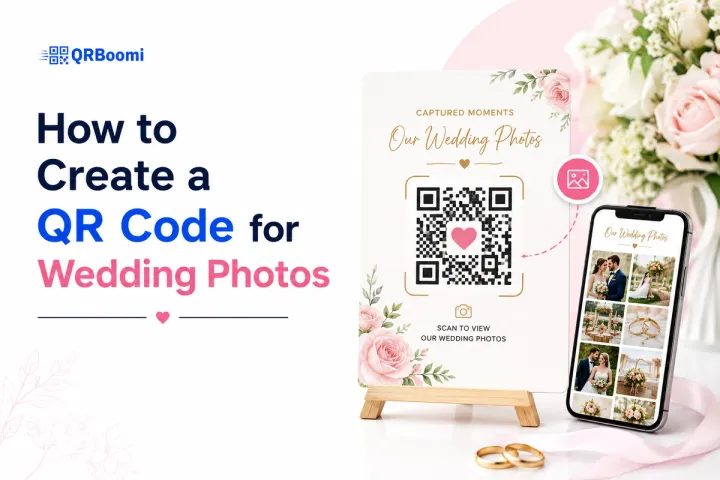
Here is what most couples discover after the wedding: their guests took hundreds of photos. Candid table shots, dance floor moments, ceremony tears, behind-the-scenes chaos. And most of those photos live forever on individual phones, never making it to the couple.
A QR code for wedding photos solves exactly this. But most setup guides stop at "paste a link, download the code." That approach works. It just does not work well. Scan rates are low, guest participation drops off, and there is no way to update anything after it is printed.
This guide covers how to actually set up a wedding photo QR code that guests use, covering setup, placement, branding, and how a dynamic QR campaign turns a one-day event into a living photo memory.
Why Most Wedding Photo QR Codes Underperform
The average couple sets up their wedding photo QR code the same way: create a Google Photos album, paste the link into a free static QR generator, download the black-and-white code, print it on table cards. Done.
That workflow takes ten minutes. The result is a code that guests notice, scan once or twice out of curiosity, and then forget. Participation rates are low because the experience is generic and the code gives guests no reason to come back.
Three things drive underperformance in wedding QR photo setups:
- The code is static. If the album link changes or the platform goes down, the code becomes a dead end. There is no way to redirect without reprinting.
- There is no tracking. The couple has no idea how many guests actually scanned, when they scanned, or whether anyone uploaded photos at all until they log in and check manually.
- The code is unbranded. A plain black-and-white square looks like a restaurant menu, not a wedding keepsake. Guests scan things that feel personal. They skip things that look generic.
Across wedding and event campaigns using QRBoomi, branded QR codes with a clear call-to-action prompt ("Scan to share your photos") consistently outperform unbranded codes on raw scan volume. Guests treat a designed, named code as an intentional wedding element — not an afterthought.
The Scan-to-Memory Framework: A Campaign Approach to Wedding Photos
Most QR code guides treat a wedding photo code as a one-time link. We treat it as a campaign with a lifecycle: before the wedding, during, and after. We call this the Scan-to-Memory Framework.
| Before the Wedding | Day of the Event | After the Wedding |
|---|---|---|
| Set up dynamic QR code linked to your album | Place codes at tables, entrance, and bar | Update destination to a curated highlights gallery |
| Brand the code with wedding colours and names | Mention the code during speeches | Track final scan count and participation |
| Test the scan on multiple devices | Encourage uploads via signage copy | Share post-wedding album via the same QR code |
The Scan-to-Memory Framework reframes the wedding photo QR code from a one-time link into a campaign asset. It is live before the event, actively working during it, and still delivering after the day is over.
Step-by-Step: How to Create a QR Code for Wedding Photos
Here is the full setup process, including the campaign elements most guides skip.
Step 1: Set Up Your Photo Gallery
Choose a photo platform where guests can both view and upload photos. Google Photos with a shared album link works. Dedicated event photo platforms work better because they are built for bulk uploads from multiple guests on mobile.
Whatever platform you use, make sure:
- Guest uploads do not require an app download
- The experience opens directly in a mobile browser
- You can set a moderation layer (approve photos before they appear publicly)
Step 2: Create a Dynamic QR Code (Not a Static One)
This is where most guides go wrong. Static QR codes lock in a single destination URL at creation. If anything changes — the album link, the platform, the sharing settings — the printed code is useless.
With QRBoomi, you create a dynamic QR code that you can update at any time. The code itself stays the same. The destination changes whenever you need it to.
To create your wedding photo QR code in QRBoomi:
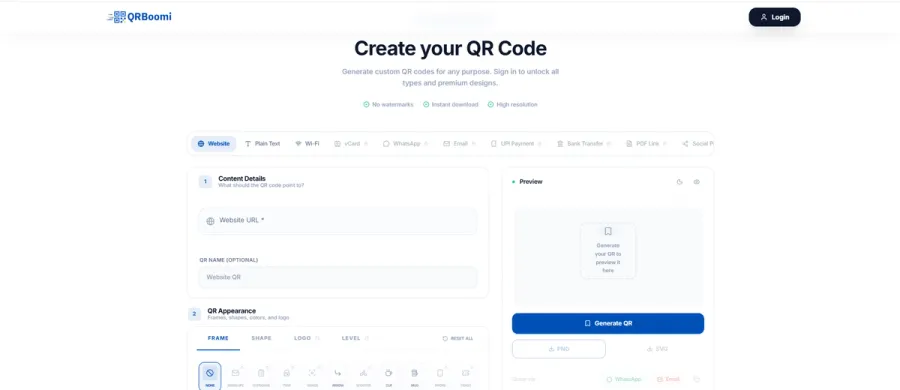
- Log into QRBoomi and start a new campaign
- Paste your photo album URL as the destination
- Name the campaign (e.g., "Emma & Jack — Wedding Photos")
- Customise the QR code design (colours, logo, shape)
- Set up scan tracking and analytics
- Download in high resolution (SVG for print, PNG for digital)
Step 3: Brand the Code to Match Your Wedding
Your QR code is a design element at your wedding. It appears on table cards, welcome signs, menus, and potentially your ceremony programme. It should look like it belongs.
QRBoomi's design tools let you:
- Match the code's accent colours to your wedding palette
- Embed a monogram, initials, or simple logo at the centre
- Choose from dot, rounded, or custom QR module shapes
- Add a branded label beneath the code ("Scan to share your wedding photos")
A branded QR code gets more scans. That is not an opinion — it is a campaign reality.
Step 4: Test Before You Print
Scan your QR code on at least three different phones before sending anything to print. Check that it opens correctly on iPhone and Android, that the gallery loads fast on mobile data, and that the upload experience is smooth for someone who has never done it before.
If any step creates friction, fix it now. Every extra tap guests have to make reduces participation.
Step 5: Place, Promote, and Track
Print the code. Place it strategically. Tell guests it exists. And then check your QRBoomi analytics dashboard to see when scans peak, which placement drives the most activity, and how participation holds up through the evening.
Static vs Dynamic QR Codes for Weddings: What the Difference Costs You
Most free QR generators produce static codes. Here is what that actually means for your wedding photo campaign.
| Static QR Code | Dynamic QR Code (QRBoomi) |
|---|---|
| Destination URL locked after creation | Update destination at any time, including after printing |
| No scan tracking — no idea how many guests used it | Full analytics: scan count, device type, time of scan |
| If album link changes, code is dead | Redirect to new URL with no reprint needed |
| Plain black-and-white design only | Fully branded — colours, logo, custom shapes |
| Cannot add calls-to-action or campaign layers | Add follow-up content (thank you page, highlights reel) |
| One-time use — campaign ends with the wedding | Keep the code active for post-wedding photo sharing |
A dynamic QR code for wedding photos does not just link to an album — it runs a campaign. You can redirect guests to a highlights reel two weeks after the wedding using the same printed code. You can track exactly how many of your 120 guests scanned. You know whether the table cards or the welcome sign drove more participation. That is scan-to-outcome visibility that a static code cannot give you.
Where to Place Your Wedding Photo QR Code for Maximum Scans
Placement drives participation more than almost any other factor. Guests will not hunt for a QR code. Put it where they already are.
| Placement Location | Why It Works |
|---|---|
| Table centrepieces or table cards | Every guest sees it while seated — highest-dwell placement |
| Welcome sign at venue entrance | First impression sets the expectation for photo sharing |
| Bar area signage | Guests linger here, phones in hand |
| Back of the ceremony programme | Captured during the quiet moments before the ceremony starts |
| Photo booth or selfie station | Guests are already in photo mode |
| Favour tags or gift bags | Extends the campaign after guests leave the venue |
Pro tip from QRBoomi campaigns: mention the QR code verbally. Ask the best man or maid of honour to reference it briefly during their speech. Verbal mentions of physical-digital touchpoints consistently increase scan rates. Guests who hear about the code before they see it are primed to act.
How to Brand Your Wedding QR Code
A branded QR code is not a vanity feature. It is a conversion driver. When a code looks like it belongs — when it carries your wedding colours and initials — guests trust it and scan it. When it looks like a generic grid of black squares, they assume it is someone else's business card.
For wedding QR codes specifically, aim for:
- Colours that match your wedding stationery palette
- A simple monogram or heart icon at the centre (avoid complex logos — they can interfere with scannability)
- A short, warm label: "Scan to share your photos" or "Add your photos to our album"
- High-resolution export for printing — SVG for large signs, PNG at 1,000px+ for cards
Always test scannability after adding design elements. A beautiful QR code that does not scan is a prop, not a campaign.
What to Do After the Wedding: Keeping the Campaign Alive
This is the part no static QR guide can cover, because static codes cannot do this.
With a dynamic QR code from QRBoomi, the campaign does not end when the venue closes. Here is what the post-wedding phase of your Scan-to-Memory campaign looks like:
- Week 1: Keep the original album destination live. Guests often upload photos in the days after the wedding as they sort through their camera rolls.
- Week 2-3: Check your analytics. How many total scans? What was the peak time? Did the table cards or the bar sign drive more activity? These data points tell you how engaged your guests were with the physical-digital experience.
- Month 1: Update the QR code destination in QRBoomi to redirect to your curated highlights gallery or wedding website. Guests who kept the table card — or who scan again from a photo they took of the code — now see a polished final collection instead of an upload screen.
- Ongoing: The QR code on printed materials becomes a permanent link to your wedding memories. Update it whenever you want without reprinting a single card.
Key Takeaways
- A QR code for wedding photos works best as a campaign, not a one-time link. Set it up before, activate it on the day, and keep it working after.
- Dynamic QR codes let you update the destination, track scans, and redirect guests post-wedding — none of which static codes can do.
- Branded codes outperform plain black-and-white squares. Match the design to your wedding stationery for higher participation.
- Placement drives participation. Table cards, welcome signs, and bar areas are your highest-engagement locations.
- Verbal mentions during speeches increase scan rates. Brief social proof from the best man or maid of honour activates guests who otherwise would not scan.
- Post-wedding, update your dynamic code's destination to redirect to a highlights gallery — no reprint required.
- Scan analytics give you real data: total scans, timing, device type — the engagement metrics that tell you how your campaign actually performed.
The QRBoomi POV
A wedding is one of the few events where every guest is actively trying to capture a moment. That energy — that universal impulse to photograph — is a campaign asset waiting to be activated. Most couples leave it dormant behind a generic static code that nobody can track and nobody bothers to update. QRBoomi turns that moment into a managed, branded, measurable experience. Every scan is a data point. Every uploaded photo is a guest engagement. And the same code that worked on the wedding day can keep delivering memories for months. That is the difference between a QR code and a QR campaign.
Frequently Asked Questions
Create a shared photo album on your preferred platform, then generate a dynamic QR code in QRBoomi linked to that album URL. Customise the design to match your wedding theme, download in high resolution, and place it on table cards and venue signage. With a dynamic code, you can update the destination link after printing without creating a new code.
Dynamic QR codes are the better choice for weddings. Static codes lock in a single destination and cannot be updated if anything changes. Dynamic codes let you redirect guests after the wedding, track total scans, and see which placement drove the most activity — none of which is possible with a static code.
No. A well-configured wedding photo QR code opens directly in a mobile browser when scanned with any smartphone camera. Guests should not need to download an app or create an account. The fewer steps between the scan and the upload, the more photos you will receive.
Place QR codes on table centrepieces, welcome signs at the venue entrance, bar area signage, and the back of ceremony programmes. Multiple placements increase total scan volume. Verbal mentions during speeches — from the best man or maid of honour — also significantly increase participation.
Yes, with a dynamic QR code from QRBoomi. The analytics dashboard shows total scan count, timing of scans throughout the event, and device type. This data tells you how engaged your guests were with the photo sharing campaign and which placement performed best.
QRBoomi's design tools let you customise the QR code's colours, add a monogram or simple icon at the centre, and choose from different module shapes. Match the accent colours to your wedding stationery and add a short label like 'Scan to share your photos.' Always test scannability after adding design elements.
Yes — this is one of the key advantages of dynamic QR codes. After the wedding, log into QRBoomi and update the destination URL to point to a curated highlights gallery or wedding website. Any printed code that guests still have will redirect to the new destination automatically, with no reprint needed.
For table cards, print the QR code at a minimum of 4 x 4 cm (about 1.5 x 1.5 inches). For larger venue signs, aim for 10 x 10 cm or bigger. Always export in SVG format for printed signs to maintain sharpness at any size, and test the scan from the distance guests will realistically be standing.