Placeholder QR Code: The Campaign-First Playbook
Most brands treat a placeholder QR code as a dummy asset. Something to drop into a design file, fill a space, and swap out later. That thinking is the root of almost every launch-day QR failure we see.
By the time the real campaign goes live, the code is printed, the URL is wrong, and there is no way to fix it without reprinting. Or the code works, but nobody tracked a single scan because the placeholder was never connected to an analytics layer.
This post explains what a placeholder QR code actually is, why the way you build it determines whether your campaign succeeds at launch, and how to set one up so that it is editable, trackable, and ready to convert from the first scan.
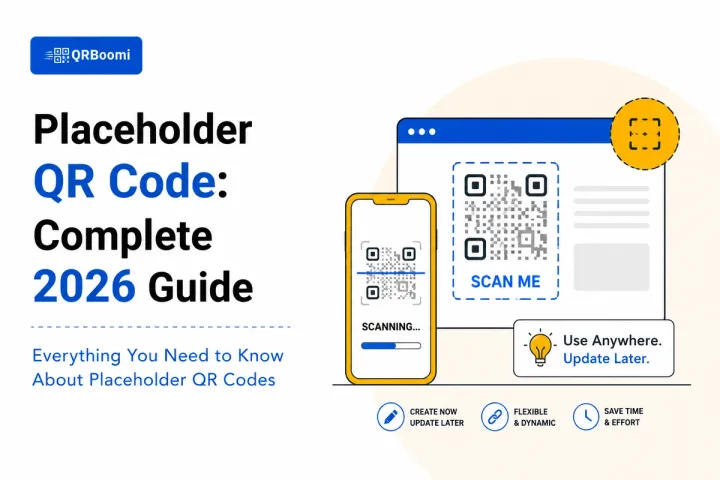
What is a Placeholder QR Code? A placeholder QR code is a temporary QR code created during the design, staging, or pre-launch phase of a campaign, before final destination content is confirmed. Specifically, when built as a dynamic QR code, a placeholder remains fully editable after deployment, so marketers can update the destination URL, swap campaign content, and activate tracking without reprinting a single piece of physical material. The difference between a static placeholder and a dynamic one is the difference between a dead end and a live campaign asset.
What Is a Placeholder QR Code, and Why Most Brands Get It Wrong
A placeholder QR code starts life as a stand-in. It lives in a design mockup, a packaging proof, an event collateral file, or a print-ready PDF while the final campaign destination is still being decided. That is its purpose at creation.
The problem is that most brands treat the placeholder as disposable. They create a basic static code, embed it in the design, and plan to swap it at final sign-off. This works fine on paper. In practice, it creates a cascade of problems.
Print deadlines get moved. The sign-off happens on a Friday. The QR destination is still a placeholder URL. The campaign goes to the printer with the wrong code, and three weeks later a thousand brochures have a QR code that points nowhere.
The brands that avoid this do not build better placeholders. They build campaign-ready QR codes from the beginning. There is a fundamental difference:
| Placeholder Approach | Campaign-Ready Approach |
|---|---|
| Static code with a test URL | Dynamic code connected to a live campaign dashboard |
| Intended to be replaced before launch | Designed to be updated without reprinting |
| No tracking configured | Analytics active from the first scan |
| Risk: prints with wrong destination | Risk-free: destination updates after print |
| Zero scan data at launch | Baseline scan data from staging phase onward |
Static vs Dynamic: The Placeholder Decision That Determines Your Launch
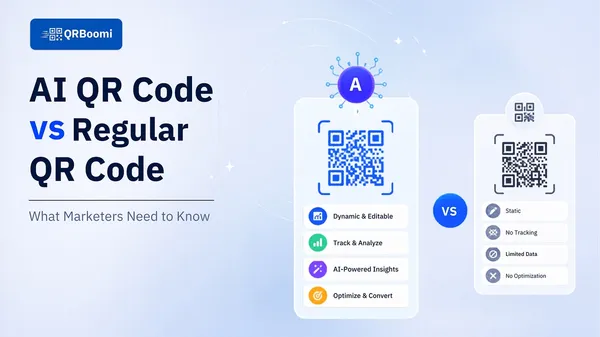
When you create a placeholder QR code, you are making a structural decision about the entire campaign. A static code embeds the destination URL into the code itself. Change the destination and you have a new code. Use that new code on printed material and you need to reprint.
A dynamic code stores a short redirect URL in the code. The redirect points to whatever destination you configure in the campaign dashboard. Change the destination at any point and the printed code still works, pointing your scanner to the new page.
For a placeholder use case, this is not a minor technical distinction. It is the difference between a dead asset and a live campaign tool.
The QRBoomi Rule: Every placeholder QR code should be dynamic from creation. Across QRBoomi campaigns, brands that start with dynamic codes are able to update destinations, activate tracking, and go live without a single reprint. Brands that start with static codes restart the process.
There is a secondary issue with static placeholders: scan data. When you go live with a static code that was built as a placeholder, you have zero historical scan data. The campaign effectively starts from scratch.
A dynamic placeholder that has been active during the design and staging phase already has baseline scan data when the real campaign launches. You know which materials are getting pre-launch attention. You can see whether your test audiences are scanning. You have a comparison baseline the moment the real destination goes live.
The QRBoomi Placeholder-to-Campaign Framework
QRBoomi uses a three-stage model for how placeholder QR codes should function within a campaign lifecycle. We call it the Scan-to-Outcome Framework applied to pre-launch assets.
| Stage | What Happens | QRBoomi Capability |
|---|---|---|
| Stage 1: Design | Placeholder QR embedded in mockup or proof. Destination is a holding page. | Dynamic code created, branded, and connected to campaign dashboard. |
| Stage 2: Staging | Code sent to printers. Pre-launch scanning begins. Destination may still update. | Real-time scan tracking active. URL updates without reprinting. |
| Stage 3: Live Campaign | Campaign destination goes live. Scans convert to outcomes. | Full scan-to-outcome attribution: device, location, time, conversion path. |
The key insight from this framework: the placeholder phase is not outside the campaign. It is the first chapter of it. When you treat Stage 1 as a throwaway step, you lose the data and the flexibility that Stage 3 depends on.
Where Placeholder QR Codes Belong in Your Workflow
Placeholder QR codes appear in more parts of the campaign workflow than most marketers realize. Here are the primary contexts and what campaign-ready placeholder management looks like in each.
Packaging and Print Campaigns
Packaging timelines move faster than campaign content decisions. By the time artwork goes to a printer, the landing page may not exist yet. A dynamic placeholder QR code goes on the packaging now. The destination is configured once the landing page is ready. No reprint required.
Event Collateral and Signage
Event materials are printed weeks before the event. Speaker lists change. Venue maps update. Session schedules shift. A placeholder QR on event signage that is dynamic can be updated to reflect real-time event information right up to the day of the event.
Agency Mockups and Client Presentations
Agencies building QR campaigns for clients need to show the code in context before the campaign is live. A branded dynamic placeholder gives clients a real preview of exactly what their campaign code will look like and how it will function, without locking in the destination.
Seasonal and Rotating Campaigns
Brands running seasonal campaigns across retail or packaging often reuse the same physical print run with a QR code. A dynamic placeholder QR code lets the brand point the same printed code to a summer promotion in June and a back-to-school campaign in August without touching the physical material.
| Use Case | Placeholder QR Role in Campaign |
|---|---|
| Retail packaging | Holds placement while landing page is built; goes live on launch day via dashboard |
| Event programs and signage | Points to a staging page; updates to live event info the morning of the event |
| Agency client proposals | Demonstrates real branded QR experience in mockup without committing to destination |
| Direct mail campaigns | Printed in advance; destination URL activated when campaign window opens |
| Seasonal product promotions | Same code reused across campaign cycles by updating the destination URL |
How to Build a Campaign-Ready Placeholder QR Code
Building a placeholder that is ready to perform as a live campaign asset requires three things: the right code type, the right structure, and the right tracking configuration from the start.
Step 1: Create a Dynamic QR Code, Not a Static One
This is the non-negotiable first decision. Go into QRBoomi, select the URL or campaign destination type, and choose dynamic. This gives you a short redirect URL embedded in the code that you can update at any point.
Step 2: Set the Placeholder Destination
Point the code to a staging page or a branded holding page while your real campaign content is being built. This page can be as simple as a 'coming soon' message or a brand awareness page. The important thing is that the code is scannable and the destination is real.
Step 3: Apply Branded Design Before It Goes to Print
Your QR code design should reflect your brand identity from the moment it appears on any physical material. Apply your brand colors, logo, and any QR frame or CTA at the placeholder stage. On QRBoomi, you design the code once and that design persists as the destination updates. You do not have to redesign when you update the destination.
Step 4: Activate Scan Tracking Immediately
Do not wait until launch day to turn on analytics. Configure your campaign analytics in QRBoomi at the placeholder stage. Every scan from the staging phase onward is captured. You gain baseline data, early audience signals, and a clean attribution trail from the campaign's first day in print.
Step 5: Update the Destination When the Campaign Goes Live
When your landing page is ready, log into QRBoomi and update the destination URL. The printed code now points to your live campaign page. Zero reprinting. Zero disruption. The scan data continues from where the placeholder stage left off.
QRBoomi in Practice: A retail brand running a seasonal packaging campaign builds its placeholder QR in QRBoomi in Month 1. By Month 2, the code is on 50,000 units of printed packaging. In Month 3, the landing page goes live and the QRBoomi dashboard redirects every printed code to the campaign page in under 60 seconds. Scan tracking captures every interaction from that moment forward.
Common Placeholder QR Code Mistakes and How to Avoid Them
Most QR campaign problems trace back to decisions made at the placeholder stage. Here are the most common and what to do instead.
Mistake 1: Using a Static Code Because It Is Free
Static code generators are free. Dynamic QR campaign management platforms are not. This cost calculation fails when you factor in reprinting costs, campaign delays, and lost scan data. One reprint run on a retail packaging line eliminates any cost savings from a free static code.
Mistake 2: Not Scanning the Placeholder Before Printing
Always test the placeholder code before it goes to print. Check that it scans correctly across multiple devices. Verify the destination loads properly on mobile. QR codes with low contrast, incorrect sizing, or quiet zone violations will fail silently until thousands of units are already distributed.
Mistake 3: Skipping Analytics at the Placeholder Stage
Turning on analytics only after launch means you have no baseline. You cannot measure uplift. You cannot compare launch-day scan performance to pre-launch. You lose a significant portion of the campaign's attribution trail.
Mistake 4: Using Different Codes for the Placeholder and the Live Campaign
If you replace the placeholder code with a new code at launch, the printed materials are obsolete. This happens when teams use a static placeholder and then create a new dynamic code for the live campaign. The result is two separate assets, two separate tracking histories, and physical materials that are already wrong.
Mistake 5: Forgetting That the Code Represents the Brand
A generic black-and-white QR code embedded in premium packaging or event signage sends a signal. Branded QR design is part of the campaign experience, not a finishing touch. Build it into the placeholder from day one.
Key Takeaways
- A placeholder QR code built on static technology is a campaign risk. Build every placeholder as a dynamic code from the start.
- The placeholder phase is Stage 1 of the campaign, not a pre-campaign throwaway. Treat it that way.
- Dynamic placeholder QR codes let you update the destination after printing, removing the risk of launch-day mismatches.
- Scan tracking should be active at the placeholder stage, not just at launch. Baseline data from the staging phase makes attribution measurable.
- Branded QR design belongs at the placeholder stage. The code is a brand touchpoint from the moment it appears on any physical material.
- The most expensive QR campaign mistake is reprinting. A dynamic placeholder eliminates that cost entirely.
- Use QRBoomi's Scan-to-Outcome Framework to treat your placeholder as the first chapter of the campaign, not a separate process.
The QRBoomi POV
The word 'placeholder' implies something temporary and inconsequential. For QR campaigns, that framing is exactly wrong. The placeholder is where the campaign's architecture gets set. The code type chosen at the placeholder stage determines whether the brand can update, track, and adapt the campaign after printing. We have seen campaigns lose weeks of scan data and thousands in reprint costs because the placeholder decision was made without campaign thinking. QRBoomi's position is simple: there is no such thing as a throwaway QR code. Every code that appears on a physical asset is a campaign asset. Build it that way from the start.
Frequently Asked Questions
A placeholder QR code is a temporary QR code created during the design or pre-launch phase of a campaign before the final destination content is confirmed. When built as a dynamic QR code, it remains fully editable after deployment, so the destination can be updated without reprinting any physical materials.
Both terms describe a QR code created before the live destination is ready. A dummy QR code typically refers to a non-functional stand-in used purely for visual design purposes. A campaign-ready placeholder, by contrast, is a fully functional dynamic QR code with a temporary destination that can be updated at any time and is already tracking scans.
Technically yes, but it creates significant campaign risk. A static QR code cannot be edited after creation. If the destination needs to change after the code is printed, the entire print run becomes unusable. Dynamic QR codes are the only viable placeholder option for any campaign going to physical print.
Create a dynamic QR code in QRBoomi and set the destination to a staging page or holding URL. Apply your branded design. When your campaign page is ready, log into the QRBoomi dashboard and update the destination URL. The printed code will immediately redirect to the new destination with no reprinting required.
Yes. Activating scan tracking during the placeholder phase gives you baseline data before the campaign goes live. You can compare pre-launch scan behavior to live campaign performance, identify which physical materials are generating the most interest, and build a clean attribution trail from the campaign's first day in distribution.
In QRBoomi, all scan data is stored at the campaign level, not the destination URL level. When you update the destination, the historical scan data from the placeholder phase remains in the dashboard. Your total scan history is continuous, giving you a complete view of campaign performance from the staging phase through the live campaign.
Yes. A dynamic QR code can be reused across multiple campaign cycles by updating the destination URL each time. This is particularly effective for seasonal packaging or retail display campaigns where the same physical print run is used across different promotional periods throughout the year.
In QRBoomi, apply your brand colors, logo, and any QR frame or call-to-action during the initial setup at the placeholder stage. The design is locked to the code, not to the destination, so as the destination updates, the branded design stays consistent across all printed materials.