Most bulk QR code generator comparisons rank tools on one number: how many codes fit in a single CSV upload. That number means nothing once the batch goes live.
The real test is what happens after deployment. Can your team update 4,000 codes at once when a product line changes? Can you see which region, device, or store location is actually driving scans? A generator that only counts codes is not built for enterprise. A platform that runs campaigns is.
This guide ranks the 10 platforms enterprise and large teams should evaluate in 2026, based on batch capacity, dynamic editing, analytics depth, and what breaks when volume moves from pilot to production.
What Is a Bulk QR Code Generator for Enterprise?
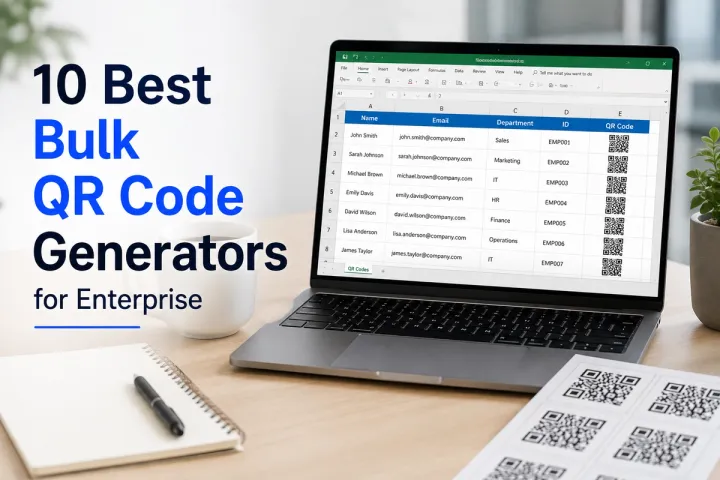
A bulk QR code generator for enterprise is that creates hundreds or thousands of QR codes in a single operation, typically through CSV upload or API, while keeping each code individually trackable and editable after deployment. Specifically, enterprise-grade tools go beyond static batch creation: they support dynamic codes that can be redirected without reprinting, per-code and aggregate scan analytics, role-based team access, and integrations with the CRM or marketing stack the batch feeds into. A tool that only outputs PNG files from a spreadsheet is a bulk generator. It is not an enterprise campaign platform.
The 10 Best Bulk QR Code Generators for Enterprise in 2026
| Platform | Dynamic by Default | Analytics Depth | Best For |
|---|---|---|---|
| QRBoomi | Yes | Scan-to-outcome (device, location, time) | Campaign-driven bulk marketing |
| Uniqode | Yes | Scan-to-outcome + compliance logging | Regulated enterprises |
| QR TIGER | Yes | Scan count + device/location | Widest code-type variety |
| Bitly Codes | Yes | Link + scan analytics combined | Existing Bitly users |
| QRLynx | Yes | Scan count + device | Mid-market per-row customization |
| Flowcode | Yes | Scan count + basic attribution | Event and experiential branding |
| QRCG Pro (Bitly) | Yes | Scan count + API metrics | Agencies, multi-seat teams |
| Unitag | Yes | Scan count + multi-year history | Sub-organization structures |
| ShortPen | Partial | Conversion-focused | Performance marketing |
| Adobe Express QR | Limited | Minimal | Quick low-volume branded codes |
1. QRBoomi - Best for Campaign-Driven Bulk QR Management
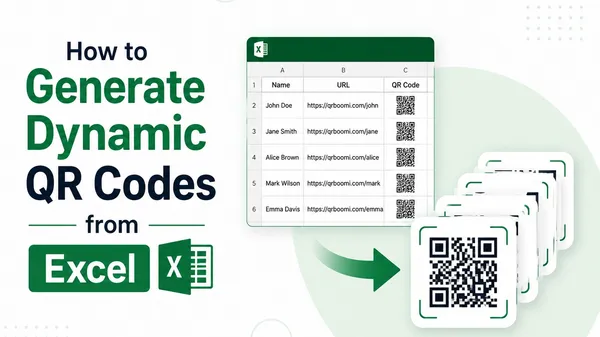
QRBoomi is built for teams that need bulk QR generation to function as a live campaign, not a one-time export. Every code created in a batch is dynamic by default, meaning destinations, landing pages, and design elements can be updated across the entire batch without reprinting a single asset.
- Best for: Marketing, retail, and agency teams running multi-location or multi-SKU campaigns that need scan-to-outcome tracking, not just scan counts.
- Bulk creation and management at scale, with campaign-level grouping across multiple codes
- Full scan-to-outcome analytics: device, location, and time-based attribution per code and per batch
- Branded, logo-embedded design applied consistently across the batch
- Integrations and API access to connect bulk campaigns to existing marketing stacks
Where QRBoomi wins for enterprise bulk qr code use: the batch is not the end of the workflow. It is the start of a campaign QRBoomi keeps trackable and editable for its full lifecycle.

2. Uniqode
Uniqode is positioned as an enterprise-grade QR platform with the strongest compliance portfolio in most 2026 comparisons, including SOC 2 Type 2, GDPR, ISO 27001, and HIPAA certifications.
Bulk batches run through CSV upload or API, with reporting reference putting single-batch capacity in the low thousands depending on plan tier.
Best for regulated industries (healthcare, finance) where compliance certification is a procurement requirement alongside bulk capability.
3. QR TIGER
QR TIGER is frequently cited as the most feature-complete generator for businesses, with a wide range of dynamic QR code types and a strong free tier.
Bulk generation is available on paid plans, with GS1 Digital Link support relevant to retail and packaging use cases.
Best for teams that want the widest variety of QR code types alongside bulk creation, not just URL redirects.
4. Bitly Codes
Bitly Codes extends Bitly's link management platform into QR generation, which makes it a natural fit for teams already tracking links in Bitly.
Bulk QR creation sits inside the same dashboard as link analytics, reducing tool sprawl for link-heavy marketing teams.
Best for organizations with an existing Bitly link management workflow who want QR codes without adding a separate vendor.
5. QRLynx
QRLynx offers dynamic-by-default bulk batches with per-row slug control and consistent design templating applied across the full CSV import.
Entry-tier bulk batches are capped in the low hundreds per upload, with a higher-capacity tier for batches in the low thousands.
Best for mid-market teams that want per-code customization (unique slugs, variable data) without enterprise pricing.
6. Flowcode
Flowcode is generally positioned for offline-to-online event and experiential marketing, with branded code design as a core strength.
Bulk generation supports multi-location and multi-event rollouts where consistent branding across codes matters as much as tracking.
Best for experiential and event marketing teams prioritizing on-brand design across a distributed code batch.
7. QR Code Generator Pro (Bitly)
QR Code Generator Pro is aimed at agencies and growing teams, with bulk creation, API access, and multiple user seats bundled into mid-tier plans.
Reported plan structures include several hundred bulk codes and meaningful API call allowances at the professional tier.
Best for agencies managing several client accounts that need multi-user access alongside bulk creation.
8. Unitag
Unitag focuses on QR code customization and design flexibility, with enterprise-tier plans adding SSO, sub-organizations, and multi-year analytics history.
Batch generation scales meaningfully at the top plan tier, aimed at organizations managing codes across sub-brands or business units.
Best for large organizations that need sub-organization structure and SSO alongside bulk QR management.
9. ShortPen
ShortPen is positioned around conversion tracking that goes beyond raw scan counts, closer to outcome-level attribution.
Bulk functionality supports campaign-style QR rollouts where the team cares more about downstream conversion than scan volume alone.
Best for performance marketing teams optimizing for conversions, not just scan totals.
10. Adobe Express QR
Adobe Express QR code generation is bundled inside the broader Adobe Express design tool, which makes it convenient for teams already designing assets there.
Bulk and dynamic capability is limited compared to dedicated QR platforms, so most comparisons position it for quick, low-volume branded codes rather than large-scale campaigns.
Best for design teams that need a handful of on-brand codes without adopting a separate QR platform.
How We Evaluated These Platforms
Each tool was assessed against five criteria enterprise buyers consistently prioritize: maximum batch size per upload, whether codes are dynamic or static by default, depth of analytics (scan count versus device, location, and time-based attribution), team and role management, and integration or API access for connecting to existing marketing and CRM stacks.
Why Static Bulk Batches Fail at Enterprise Scale
A static bulk batch locks every destination at the moment of export. If a product recall, venue change, or broken landing page affects even one percent of a 5,000-code run, the only fix is reprinting the physical asset the code is attached to.
Dynamic bulk batches solve this by separating the printed code from its destination. The code stays fixed. The destination, and everything downstream of it, stays editable.
Static vs. Dynamic Bulk QR: The Practical Difference
| Dimension | Static Bulk QR | QRBoomi Dynamic Bulk QR |
|---|---|---|
| Update after print | Not possible | Update every code in the batch instantly |
| Error recovery | Reprint the batch | Fix the destination in minutes |
| Analytics | Scan count only, if any | Device, location, time, conversion |
| Campaign use | One-off code creation | Full campaign lifecycle management |
Key Takeaways
- A bulk QR code generator that only counts codes is not built for enterprise. Evaluate dynamic editing before batch size.
- Static batches force a full reprint when one destination breaks. Dynamic batches fix it in minutes.
- Scan count is a vanity metric at enterprise scale. Device, location, and time-based attribution is what makes a batch optimizable.
- Compliance certifications (SOC 2, GDPR, HIPAA) matter more for regulated industries than raw batch size.
- The platforms that win for enterprise treat the batch as the start of a campaign, not the end of a task.
- QRBoomi's bulk creation is built around campaign lifecycle management, not one-off export, which is the gap most bulk QR tools leave open.
The QRBoomi POV
We believe a bulk QR code generator should be judged the same way a single QR code is judged: by what happens after the scan, not by how many files it can export in one click. Every code in a batch is a data point. A platform that cannot tell you which one converted has not solved the problem enterprise teams actually have.
Frequently Asked Questions
The best choice depends on priorities. QRBoomi is built for teams that need bulk batches to function as trackable, editable campaigns. Uniqode leads on compliance certifications. QR TIGER offers the widest variety of code types. Match the platform to what your team optimizes for: campaign tracking, compliance, or code variety.
Batch limits vary by platform and plan tier, typically ranging from a few hundred codes on entry plans to several thousand on enterprise tiers via CSV upload or API. Confirm current limits directly with each vendor, since they change as plans are updated.
Only if the codes are dynamic. Dynamic QR codes let you change the destination URL or landing page for every code in a batch without reprinting. Static codes lock the destination permanently at creation, so any error requires a full reprint.
Look for scan-to-outcome data, not just a scan count. That includes device type, location, scan time, and ideally conversion tracking, broken down per code and aggregated across the full batch so you can compare performance across locations or SKUs.
Enterprise-grade platforms typically offer API access and integrations with tools like CRMs, analytics platforms, and marketing stacks, letting scan data feed directly into existing reporting rather than living in a separate dashboard.
Free tiers generally cap batch size at a few hundred codes and offer minimal analytics, which is workable for a pilot but not for production-scale, multi-location, or multi-SKU rollouts that need dynamic editing and attribution.